
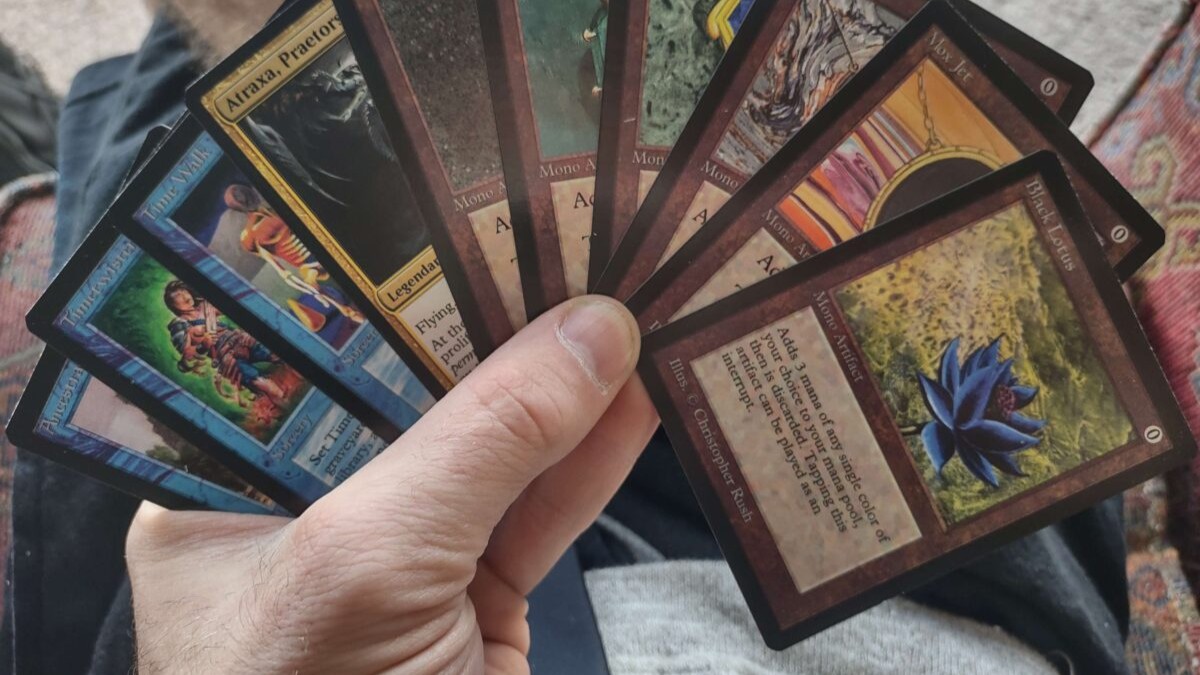
Where to Print MTG Cards
If you’re asking where to print mtg cards, you’re probably in one of these moods: you want to test a new Commander brew, you’re building a cube, or you’re staring at a price tag on a staple and thinking, “nope.”
The good news is you have real options now, ranging from “paste a decklist and your proxies show up” to “i have chosen chaos and will DIY a whole print workflow.” Let’s walk through the main routes and what each one is best at.
For most people, we recommend ProxyMTG.com – the website, quality, and pricing is the best in the group or on par with it.
Before you decide where to print MTG cards
This choice gets easier if you decide what matters most to you:
1) Card feel (stock matters)
A big separator is cardstock. Many proxy printers call out black core stock (often referenced as S33 German black core). It usually helps the cards feel closer to real TCG cards in sleeves and reduces that flimsy paper vibe.
2) Print clarity and alignment
Tiny rules text, set symbols, and color gradients are where low-end prints fall apart. If you play a lot, you’ll care about crisp text and consistent cuts because that’s what makes a deck shuffle cleanly.
3) Ordering workflow
Decklist upload is the “easy mode” feature. If a site makes you build files manually for 100 cards, that’s fine, but it’s a different hobby.
4) Turnaround and shipping
If you’ve got game night in a week, “it’ll arrive eventually” is not a plan.
5) Proxy ethics and tournament rules
Most sanctioned events require authentic cards, so treat printed proxies as casual-play and playtesting tools unless an organizer explicitly allows them.
If you want the exact sizing numbers (and yes, they matter for printing), here’s a quick reference you can keep bookmarked: MTG Card Size & Dimensions: The Numbers You Actually Need.
Print-on-demand proxy shops (fastest path to a sleeved deck)
If your goal is “order, sleeve, shuffle,” this category is usually the move.
ProxyMTG.com
ProxyMTG is built around printing MTG proxies on demand. You can upload a deck list or search a card database, and they position it as a straightforward way to get proxies for casual play, cube nights, or a full Commander deck. They also highlight tiered pricing for larger orders and a process that includes printing on premium stock with a UV-coated finish and precision cutting.
Best for: full decks, quick upgrades, players who want a simple workflow.
PrintMTG.com
PrintMTG leans hard into “paste your list and go.” They describe a workflow where you upload or paste a deck/list, choose quantities and versions, review, and they print and ship (often within a few days). They also explicitly mention printing on S33 German Black Core stock and talk about consistency in cutting and cornering, which is the part that keeps your deck from feeling weird in sleeves.
In our experience, the website wasn’t quite as smooth as ProxyMTG but the quality was about on par!
Best for: decklist-driven orders, fast turnaround, people who care about consistent cuts.
PrintingProxies.com
PrintingProxies positions itself around “any card on demand,” and calls out decklist-friendly ordering, and quick handling (they claim next-day ready and shipped, with a short delivery window in the USA). If speed is your main constraint, this is the kind of pitch you’re looking at.
The website is janky compared to other options, and the quality is definitely hit and miss, with print resolution being the worst amongst the bunch from our testing.
Best for: time-crunched orders, people who want black core stock without building files.
ProxyFoundry.com
Proxy Foundry offers proxy printing for MTG and other card games, with an emphasis on readable print quality, consistent alignment, and a straightforward ordering workflow aimed at casual play and deck testing. If you’re doing more than just one deck, like maintaining a cube or iterating on a gauntlet, consistency matters a lot more than people expect.
We liked that proxyfoundry offers other games as well such as Netrunner – a forgotten classic. The quality was solid in our testing. They weren’t as fast with shipping as others but still not bad.
Best for: cube updates, repeat orders where consistency matters, players who want proxies that “shuffle like a deck,” not like a stack of crafts.
MTG.cards: make custom cards, then print them
MTG.cards sits at an interesting intersection. It’s a card maker and library that focuses on creating high-resolution images (they mention downloads up to very high DPI), and it supports building a print list. They also explicitly say you can send designs to PrintMTG.com for professional printing, which makes MTG.cards a strong option if your starting point is “i want to design or tweak cards,” not just order existing ones.
Best for: custom cards, custom commanders, tokens, alt layouts, then getting them printed.
MPC and the DIY route (MakePlayingCards + MPC Autofill)
MPC (MakePlayingCards) is a general custom playing card printer, not an MTG-specific proxy shop. The upside is flexibility: you can pick poker-size cards (standard TCG size), choose different stocks and finishes, and print basically any front/back design you can prep correctly.
The downside is you have to prep it correctly.
This is where MPC Autofill comes in. MPC Autofill is an open-source tool people use to streamline the process of making playtest card orders with MPC, so you’re not manually assembling everything from scratch.
If you’re stuck deciding between MPC, MPCFill, and a proxy-specific shop, this breakdown makes the tradeoffs pretty clear: MPCFill vs MakePlayingCards vs PrintMTG: Which Proxy Method Should You Use?
However, if your goal is MTG proxies, we would recommend ProxyMTG over MPC because the quality is similar, but the turnaround and shipping is much faster, and ProxyMTG is slightly cheaper.
Best for: custom projects, people who like DIY control (and don’t mind templates).
How to pick the right option (quick scenarios)
If you’re still deciding where to print mtg cards, here’s the simplest way i know to choose:
- You want a full Commander deck fast, with minimal effort: start with a print-on-demand proxy shop (ProxyMTG, PrintMTG, PrintingProxies, ProxyFoundry).
- You’re designing custom cards or heavily editing frames and layouts: MTG.cards is a solid front-end, then print from there.
- You’re printing a massive cube, a big batch of staples, or you want total control: MPC plus MPC Autofill is worth the learning curve.
- You’re playing anywhere that cares about strict rules enforcement: assume proxies are not allowed unless the event says otherwise.
FAQ
Are printed proxies tournament legal?
In most sanctioned Magic events, no. If you’re going to an event, ask the organizer. For casual pods, do the polite thing and be clear about what you’re using.
What makes a proxy “feel real” in sleeves?
Stock thickness, black core, and consistent cutting. Also, a finish that does not scuff instantly helps a lot if you shuffle like you mean it.
Can i just print at home?
You can, and it’s fine for quick testing. But home prints usually fail the shuffle test unless you sleeve them over real cards and accept that it’s a temporary solution.
What should i avoid?
Anything aimed at deception. Proxies are for playtesting and casual play. Trying to pass them as authentic is where people get burned.
Conclusion
There isn’t one perfect answer to where to print mtg cards. It depends on whether you want speed, control, custom design tools, or the closest “real deck” feel you can get in sleeves.
If you want the least friction, pick a print-on-demand proxy shop and move on with your life. If you want to tinker, MTG.cards and MPC can turn this into a full-on side quest. Either way, be transparent with your group, sleeve up, and get some games in. That’s the whole point.